


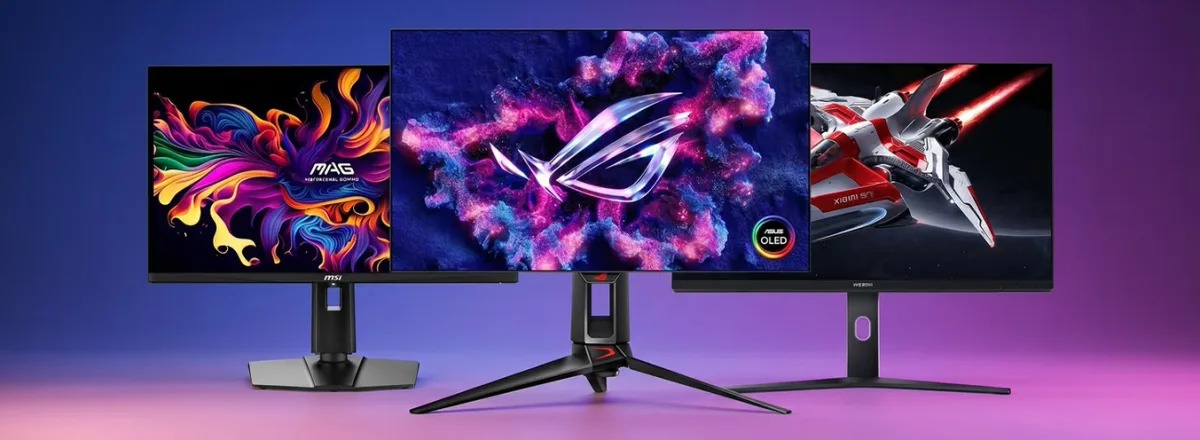
A great gaming experience starts with the right display. Whether you enjoy competitive PC games, immersive adventures or PlayStation titles, a suitable gaming screen can improve smoothness and visual clarity. Gamers searching for gaming monitors in UAE should compare refresh rate, resolution, response time, screen size and connectivity before buying.
Explore the gaming monitors collection at Star Gallery Mart to compare available displays for your next setup.
Why Choose a Gaming Monitor Instead of a Regular Monitor?
Gaming monitors often prioritize higher refresh rates, fast pixel transitions and adaptive synchronization. Regular monitors can be excellent for work and entertainment, but fast‑moving games may benefit from the extra responsiveness of a dedicated gaming display.
144Hz, 165Hz, 180Hz and 240Hz: Which Refresh Rate Is Right?
144Hz Gaming Monitors
A 144Hz monitor offers smoother motion than a typical 60Hz screen when the connected computer supplies enough frames. It is an attractive starting point for racing, action and competitive PC games.
165Hz and 180Hz Gaming Monitors
A 165Hz gaming monitor or 180Hz gaming monitor offers additional refresh headroom. The improvement depends on your game, system performance and how sensitive you are to motion differences.
240Hz Gaming Monitors
A 240Hz monitor can suit esports players with capable PCs that consistently deliver very high frame rates. Buying a faster monitor alone will not increase the frames produced by a game.
Full HD vs QHD vs 4K Gaming Monitors
Full HD (1080p)
Full HD can be a cost‑effective choice for high‑frame‑rate gaming and systems with modest graphics hardware.
QHD (1440p)
QHD adds detail compared with Full HD. A 27 inch gaming monitor with QHD resolution is a popular balance of sharpness, screen space and performance.
4K (2160p)
A 4K gaming monitor provides sharper visuals for detailed games and entertainment, although higher resolutions typically require stronger PC graphics hardware to deliver high frame rates.
Curved vs Flat Gaming Monitors
A curved gaming monitor can feel immersive, especially for larger displays and simulation games. Flat screens work well for gaming, general computing and multi‑monitor setups. Consider desk depth, viewing distance and personal comfort.
27 Inch or 32 Inch Gaming Monitor?
A 27 inch gaming monitor is a versatile desktop choice, especially at QHD resolution. A 32 inch gaming monitor creates a larger viewing area for adventure games, racing and multitasking. Check your desk dimensions before choosing.
Response Time, Panel Type and Adaptive Sync
Response time influences motion clarity, but advertised response‑time numbers may use different testing methods. IPS, VA and OLED panels each have different strengths in colour, contrast, viewing angles and motion. Adaptive sync features such as FreeSync or VRR can help reduce tearing when supported by the monitor and connected device.
Choosing a Gaming Monitor for PC or PS5
Gaming Monitors for PC
Match refresh rate and resolution to your graphics card and favourite titles. Competitive players may prioritize speed; players of visually rich games may prefer QHD or 4K detail.
Gaming Monitors for PS5
For a PS5 gaming monitor, check HDMI input capabilities, 120Hz compatibility, resolution and VRR support. The PS5 supports up to 120Hz output in compatible games; it does not output games at 240Hz simply because the monitor supports that rate.
How to Choose the Best Gaming Monitor in UAE
Review refresh rate, display resolution, screen size, panel type, connectivity, warranty and total value. When comparing gaming monitor prices in UAE, a lower price is not always the best match for your requirements.
Browse the monitor collection to compare available options and current selling prices.
Where to Buy Gaming Monitors in Dubai and UAE?
Star Gallery Mart lets UAE customers browse gaming screens online and review specifications, availability and payment options before ordering. Whether you are building a gaming PC or upgrading a console setup, choose a display that fits your device and budget.
Frequently Asked Questions
What refresh rate is best for gaming?
144Hz or 165Hz suits many PC players. 180Hz and 240Hz can benefit competitive gaming if the PC produces enough frames.
Is a 144Hz monitor good for PS5?
Yes, provided its HDMI input accepts a compatible 120Hz signal from PS5.
Is a 27 inch monitor good for gaming?
Yes. It offers a practical balance of viewing area and desk space; QHD can look especially sharp at this size.
Is a curved monitor better?
Curved monitors can feel more immersive, while flat models are versatile. Neither shape is universally better.
Should I choose 1440p or 4K?
1440p balances detail and performance. 4K provides more pixels but often demands stronger hardware for high‑frame‑rate PC gaming.
Final Thoughts: Upgrade Your Screen, Level Up Your Game
The best gaming monitor depends on how you play. Compare 144Hz, 165Hz and 240Hz displays alongside QHD, 4K, curved and flat models, then choose the features your system can actually use.
Explore gaming screens at Star Gallery Mart and choose a monitor that fits your setup.


