


Shopping at Star Gallery Mart is designed to be quick and easy, and creating an account makes it even smoother. With your own account, you can track orders, manage delivery addresses, handle returns, and review the products you've received, all in one place. Here's a simple, step‑by‑step walkthrough.
1. Start at the Star Gallery Mart Website
Everything begins at stargallery.ae. Browse categories like Mobile Phones, Tablets, Home & Kitchen, Car Accessories, and Gaming, and use the search bar to find exactly what you need. At the top right, you'll see Account, Wishlist, and Cart.
2. Open the Account Menu
Click Account in the top menu. If you're not logged in, you'll see a quick prompt to log in or sign up, along with shortcuts to Orders, Addresses, Returns, and My Reviews.
3. Create Your Account, Your Way
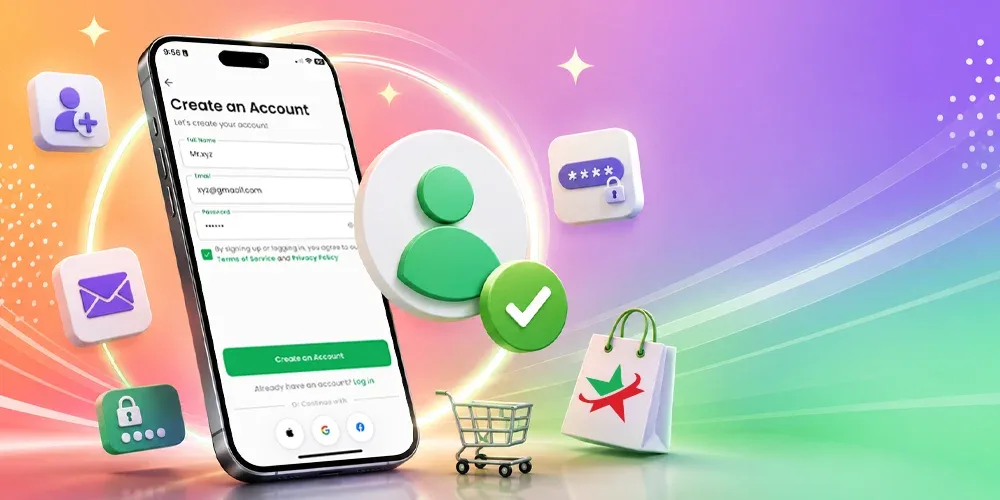
Tap Log in / Sign up, then choose how you'd like to register. You can create an account manually by entering your full name, email, and password, and agreeing to the Terms of Service and Privacy Policy. Prefer something faster? Continue with Google or Facebook in a single tap.
4. Returning? Just Log In
Already have an account? Head to the login page, enter your email and password, or use Login with Google or Login with Facebook. There's a Remember Me option to stay signed in, and a Forgot Password link if you ever need to reset it.
5. Manage Your Account Details
In the Account section, you're in full control of your details. Update your full name, email, phone number, and preferred language, and set a new password whenever you like. And if you ever need to, you can delete your account from the same page.
6. Track Your Orders
The Orders page brings all your purchases together, with clear status labels such as Confirmed, Out for Delivery, Delivered, Cancelled, Pending, and Failed. You'll see order numbers, dates, tracking numbers, and totals, plus a handy Buy again button to reorder favourites in seconds.
7. Handle Returns Easily
Changed your mind or received the wrong item? The Returns section makes it simple. Search for an item and follow each request through its stages, Request, Waiting for Refund, Approved, or Rejected, so you always know where things stand.
8. Save Your Delivery Addresses
Add and manage your delivery addresses in the Addresses section so checkout is faster next time. If you haven't added one yet, just tap Add new address and fill in your details.
9. Review What You've Received
Once your orders are delivered, head to My Reviews to share your experience. You'll see the items awaiting your feedback, each with a Write a Review button, so you can help other shoppers and let us know how we did.
Everything in One Place
With a Star Gallery Mart account, your orders, returns, addresses, and reviews all live in one convenient dashboard, making every shopping trip faster and simpler. Create your account today, manually or with Google or Facebook, and enjoy a smoother way to shop electronics and more across Shopping at Star Gallery Mart is designed to be quick and easy, and creating an account makes it even smoother. With your own account, you can track orders, manage delivery addresses, handle returns, and review the products you've received, all in one place. Here's a simple, step‑by‑step walkthrough.