


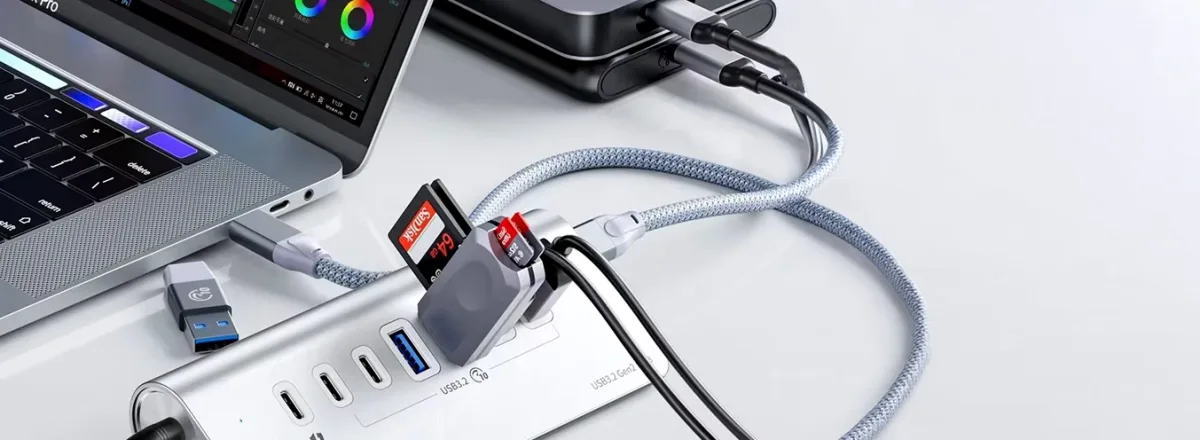
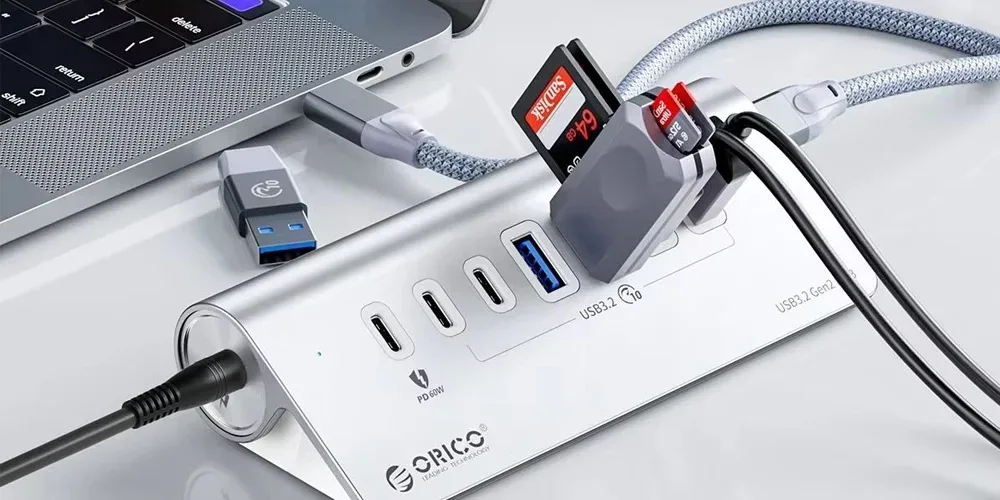
Modern laptops, tablets, and smartphones are becoming slimmer and more portable, but that often means fewer built‑in ports. When your device does not have enough connections for storage drives, displays, memory cards, keyboards, or other accessories, a USB OTG Adapter or multi‑port hub can provide a simple solution.
At Star Gallery Mart, you can explore connectivity accessories designed for work, entertainment, study, travel, and everyday use. Whether you want to connect a flash drive to your smartphone, transfer photos from an SD card, add a keyboard and mouse to a tablet, or connect a laptop to an external monitor, the right hub can make your device far more versatile.
What Is a USB OTG Hub?
USB OTG stands for USB On‑The‑Go. It allows compatible smartphones, tablets, and other devices to act as a host for USB accessories instead of functioning only as a device connected to a computer.
USB OTG Hubs expand this capability by turning one compatible connection into several useful ports.
Depending on the model, a USB OTG hub may include USB‑A, USB‑C, HDMI, SD card, microSD, Ethernet, or charging connections. This makes a single compact accessory useful for transferring files, connecting peripherals, displaying content on a larger screen, and powering compatible devices.
Why Use a USB OTG Hub?
A USB OTG hub can transform a single port into a practical connectivity station. Instead of carrying several separate adapters, you can use one hub for many of the accessories you rely on every day.
Common uses include connecting USB flash drives to compatible smartphones and tablets, transferring photos and videos from memory cards, adding a keyboard or mouse, connecting external storage, linking a compatible device to a monitor or TV through HDMI, and charging certain devices while other accessories remain connected.
For people who regularly move between a home office, workplace, university, hotel, or shared workspace, a compact hub can make switching between setups much easier.
USB‑C Hubs for Modern Devices
USB‑C has become one of the most common connections on modern laptops, tablets, smartphones, and digital accessories. However, a device with only one or two USB‑C ports can quickly become limiting when you need to connect several accessories at once.
A USB‑C hub can add the connections missing from your device while keeping the setup compact.
Depending on the hub, you may find support for HDMI, USB‑A, additional USB‑C ports, SD and microSD cards, Ethernet, and Power Delivery charging.
Some USB‑C hubs also support charging passthrough, allowing a compatible laptop or tablet to receive power while other accessories remain connected.
It is important to remember that USB‑C describes the connector shape, not every feature supported by the port. If you plan to connect an external display through a USB‑C hub with HDMI, confirm that your device supports compatible video output, such as DisplayPort Alternate Mode.
Choosing the Right Hub for Your Device
The ideal hub depends on what you want to connect and which ports your device already provides.
For Smartphones and Tablets
A compact OTG hub can be useful when you need to connect storage drives, keyboards, mice, card readers, or other supported peripherals to a smartphone or tablet.
Before purchasing, confirm that the mobile device supports USB OTG and that the hub uses the correct connector.
For Laptops
Modern laptops often replace several traditional ports with only a few USB‑C connections. A multi‑port USB‑C hub can restore many of those connections through one accessory.
This can be especially useful for slim laptops that lack full‑size USB ports, an HDMI connection, an Ethernet socket, or a memory‑card reader.
For Home and Office Workspaces
A hub with HDMI, USB, Ethernet, and charging support can help create a cleaner desk setup.
Instead of repeatedly connecting several cables to the laptop, you may be able to connect the monitor, keyboard, mouse, storage device, network cable, and power supply through one central hub.
This is particularly convenient for users who frequently take their laptop away from the desk and reconnect it later.
For Travel
A compact hub can be one of the most useful accessories to keep in a laptop bag or backpack.
Rather than carrying individual adapters for HDMI, USB drives, memory cards, and other connections, a multi‑port hub can combine the most important options in one portable accessory.
Understanding the Different Ports
The value of a hub depends largely on the ports it provides, so check the specifications carefully before purchasing.
USB‑A remains useful for traditional accessories such as flash drives, keyboards, mice, external storage, printers, and other peripherals.
USB‑C is used by many modern devices and accessories. However, some USB‑C ports support only data, while others may also support charging or video output.
HDMI allows supported laptops, tablets, and smartphones to connect to an external monitor, TV, or projector. Maximum resolution and refresh rate depend on both the hub and the connected device.
SD and microSD card slots are particularly useful for photographers, videographers, content creators, and anyone who regularly transfers files from cameras or memory cards.
Ethernet provides wired network connectivity on compatible devices, which can be useful when Wi‑Fi is unstable or when a reliable connection is important for work.
Power Delivery can allow compatible devices to charge through the hub while other ports remain in use. Check the maximum supported wattage because the actual charging power may differ between models.
What Should You Check Before Buying a USB Hub?
Not all hubs provide the same performance, even when they appear similar.
Before choosing one, check the connector used by your device, the number and type of ports, data‑transfer speeds, supported HDMI resolution and refresh rate, Power Delivery wattage, SD or microSD compatibility, operating‑system support, and the physical size of the hub.
Think about your actual setup rather than simply choosing the model with the highest number of ports.
For example, if your main requirement is connecting a flash drive to a phone, a simple OTG adapter may be sufficient. If you regularly connect a monitor, keyboard, mouse, Ethernet cable, storage device, and charger to a laptop, a more advanced USB‑C hub will be much more practical.
USB OTG Hubs for Everyday Productivity
An OTG hub can do much more than transfer files.
A compatible tablet can become a more comfortable productivity device when connected to a keyboard and mouse. An external drive can provide access to additional files without filling internal storage. A card reader can make it easier to transfer photographs from a camera directly to a phone, tablet, or laptop.
For presentations, compatible HDMI‑equipped hubs can allow a laptop or tablet to display content on a larger screen. This can be useful for meetings, classrooms, exhibitions, and client presentations.
Content creators can also benefit from hubs with SD and microSD slots, allowing photos and video files to move between cameras and editing devices with fewer separate accessories.
Can a USB Hub Charge Your Device?
Some USB‑C hubs include a Power Delivery input that can pass charging power through to a compatible laptop, tablet, or smartphone.
However, the hub itself does not automatically make every connected device charge faster.
Charging performance depends on the power adapter, cable, hub specifications, and maximum charging capability of the connected device.
If charging is an important part of your setup, check the hub’s Power Delivery rating before buying. A hub intended for a high‑powered laptop may need significantly more charging capacity than one designed for a tablet or smartphone.
USB OTG Hub vs USB‑C Hub
The two terms often overlap, but they describe slightly different things.
A USB OTG hub focuses on allowing an OTG‑compatible device, such as a smartphone or tablet, to connect to USB accessories.
A USB‑C hub generally refers to a multi‑port hub that connects through USB‑C and may support a wider selection of features, including displays, Ethernet, memory cards, data transfer, and Power Delivery.
Many modern products can perform both roles, so the important factor is not the product name alone but whether its features are compatible with your device.
Who Can Benefit From a Multi‑Port Hub?
A versatile USB hub can be useful for students, office professionals, photographers, content creators, gamers, frequent travellers, remote workers, and anyone using a slim laptop or tablet with limited ports.
For home users, it can make connecting storage drives and peripherals easier. In the workplace, it can simplify a multi‑device desk setup. For photographers and creators, memory‑card connections can improve file‑transfer workflows. During travel, one compact hub can replace several individual adapters.
Why Shop USB OTG Hubs From Star Gallery Mart?
At Star Gallery Mart, you can explore connectivity solutions for smartphones, tablets, laptops, and other compatible devices.
Whether you need a simple OTG connection for transferring files or a multi‑port USB‑C hub for a complete workstation, choosing according to the connections you actually use can help you build a cleaner and more practical setup.
When comparing models, focus on device compatibility, connection types, supported speeds, display capabilities, charging power, portability, and overall build quality.
Frequently Asked Questions
What does USB OTG mean?
USB OTG means USB On‑The‑Go. It allows compatible mobile devices to connect directly to supported USB accessories such as storage drives, keyboards, mice, and card readers.
Can I connect a USB flash drive to my phone?
Yes, if your phone supports USB OTG and you use a compatible adapter or hub.
Can a USB‑C hub connect a laptop to a TV?
Yes, when the hub includes HDMI and the laptop’s USB‑C port supports compatible video output.
Do all USB‑C ports support HDMI?
No. Some USB‑C ports support only charging and data. Check whether your device supports DisplayPort Alternate Mode or another compatible video‑output technology.
Can I charge my laptop through a USB‑C hub?
Some hubs support Power Delivery passthrough. The hub, charger, cable, and laptop must all support the required charging wattage.
Can I use several USB devices at the same time?
Yes, provided the hub and connected device support them. Performance and available power may be shared when several accessories are connected simultaneously.
Are USB OTG hubs useful for tablets?
Yes. On compatible tablets, they can connect keyboards, mice, flash drives, memory cards, external storage, and other peripherals.
Final Thoughts
Limited ports do not have to limit what your smartphone, tablet, or laptop can do.
A suitable USB OTG or USB‑C hub can expand a single connection into a flexible setup for storage, displays, accessories, networking, charging, and file transfers.
The best choice depends on your device and the connections you use most often. A simple OTG adapter may be enough for occasional mobile file transfers, while a multi‑port USB‑C hub can turn a slim laptop into a complete desktop workstation.
Choose the right combination of ports, compatibility, speed, video support, and charging capability, and you can make your devices more connected, productive, and convenient wherever you use them.


